Google Gemini Will Use Google Tasks Data Starting November 14

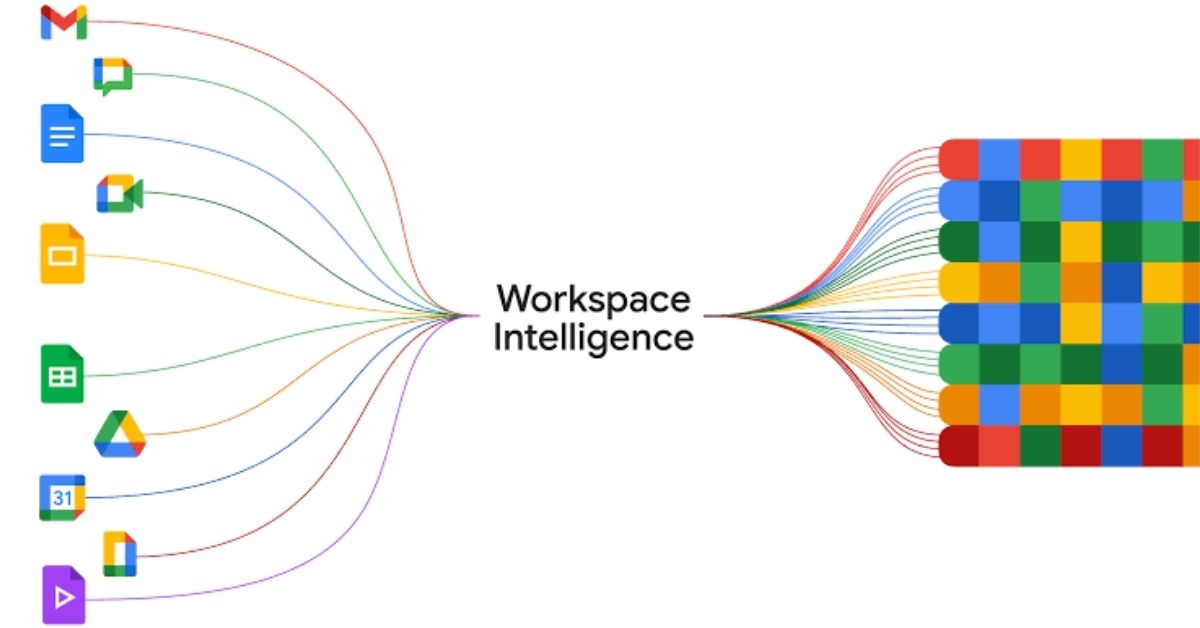
Google is expanding Workspace Intelligence to include Google Tasks, allowing Gemini to use task-related information as context when responding to users in supported Google Workspace applications. The change is scheduled to take effect on November 14, 2026, and the setting will be enabled by default unless administrators disable it.
In an email sent to Google Workspace administrators, Google said the new configuration option would appear in the Google Admin console starting October 14. This gives organizations a 30-day window to review the setting before Gemini begins using Google Tasks data as an additional source of context.




Google Gemini Will Gain Access to Google Tasks Context
Workspace Intelligence connects Gemini with information from Google’s productivity applications to provide responses based on users’ existing work context. The system already supports Gmail, Google Chat, Google Calendar and Google Drive.
With the planned expansion, Google Tasks will become another configurable data source. This could help Gemini provide more relevant responses to questions involving task lists, outstanding work and personal or organizational productivity, depending on the information available to each user.
Rather than requiring users to manually provide relevant details in every prompt, Workspace Intelligence is designed to ground AI responses in information available within their Google Workspace environment.
Google Tasks Integration Will Be Enabled by Default
Google said the Google Tasks setting would appear in the Admin console on October 14, 2026, with the option enabled by default. However, the integration will not begin using Tasks data as a source of context until November 14.
This distinction gives administrators time to review the configuration and decide whether the feature is appropriate for their organizations.
Organizations that want to prevent Gemini from using Google Tasks as an implicit source of context can disable the setting through the Workspace Intelligence controls in the Google Admin console.
What Should Google Workspace Administrators Do?
Google said administrators do not need to take action if the Google Tasks service is disabled for their organizational units.
For organizational units where Google Tasks is enabled, no action is required unless administrators want to prevent Workspace Intelligence from using Tasks data. Organizations should review their existing settings and determine whether the default configuration aligns with their internal data governance policies.
Administrators can manage the relevant controls through the Google Admin console. The available options may depend on the organization’s configuration and the services enabled for its users.
Google Says Its Privacy Commitments Will Not Change
Google stated that the expansion does not change its underlying data-handling practices or privacy commitments.
According to the company, Workspace Intelligence respects existing user-level access permissions. Gemini responses will be grounded only in content that the user is already authorized to view.
Google also said that customer data is not used to train its generative AI models or for advertising purposes.
The change concerns how Gemini can use authorized Workspace information to provide contextual responses. It does not, according to Google, grant users access to information they would otherwise be unable to view.
Google Workspace Intelligence Expansion Timeline
- April 2026: Workspace Intelligence launched with support for Gmail, Google Chat, Google Calendar and Google Drive.
- October 14, 2026: The Google Tasks data-source setting becomes available in the Google Admin console and is enabled by default.
- November 14, 2026: Google Tasks data can begin serving as context for Gemini in Workspace applications unless administrators disable the setting.
The expansion adds another source of work-related context to Google’s AI-powered productivity tools. For organizations using Gemini across Workspace, reviewing the new administrative setting before November 14 will help ensure that the feature is configured according to their preferences.