
The US-based technology company Apple continues to shape user expectations in the compact desktop computer market, where it has long maintained its dominance with the Mac mini series. Taking up virtually no space on the desk, these devices attract significant attention from both professional content creators and everyday users due to the high performance they deliver. Is it truly logical to purchase a Mac mini model in the current hardware ecosystem, and can this device meet your needs in the long term?
Processor architecture balancing power and efficiency
Apple achieves smooth operational flow across a wide spectrum, from everyday office software to 4K video editing, thanks to its proprietary hardware architecture that keeps power consumption to a minimum while delivering high processing power. The standard models feature a 10-core central processing unit (CPU) and a 10-core graphics processing unit (GPU) architecture, operating with a memory bandwidth of 120 GBps. The integrated 16-core Neural Engine minimizes latency in locally run artificial intelligence applications and data processing workflows.
For professionals requiring heavier workstation performance, the upper-segment versions powered by advanced chips stand out. Designed for graphics-heavy modeling, 3D designs, and multi-layered audio production, these versions feature a 12-core CPU and a 16-core GPU, delivering a substantial 273 GBps memory bandwidth. An even higher configuration offering a 14-core CPU and a 20-core GPU is also available for those seeking maximum performance.
Memory and storage capacities: Choosing the right combination
The most critical factor to consider when purchasing a Mac mini is determining the memory and storage capacity that aligns with your intended use. Because the internal hardware cannot be physically upgraded after purchase, selecting the appropriate capacities plays a vital role in long-term efficiency.
Unified memory options
Unified memory, which functions as RAM in the Apple architecture, directly multiplies processor performance. The capacities offered vary by model:
For standard models: While a 16 GB unified memory capacity comes as standard, this can be configured to 24 GB or 32 GB based on user requirements.
For professional models: The professional version starts with a standard 24 GB unified memory. For heavy data processing and large-scale projects, the hardware can be expanded up to 48 GB or 64 GB.
Storage (SSD) options
High-speed SSD storage units offer broad alternatives for individuals working with high-resolution files:
Storage in standard models: The entry-level model offers 256 GB of SSD space. Users can opt for 512 GB, 1 TB, or 2 TB storage capacities depending on project sizes.
Storage in professional models: For professionals handling large data assets, the base capacity is set at 512 GB SSD. This hardware can be scaled to 1 TB, 2 TB, 4 TB, or up to 8 TB, creating a massive internal archive space.
Compact design and desktop ergonomics
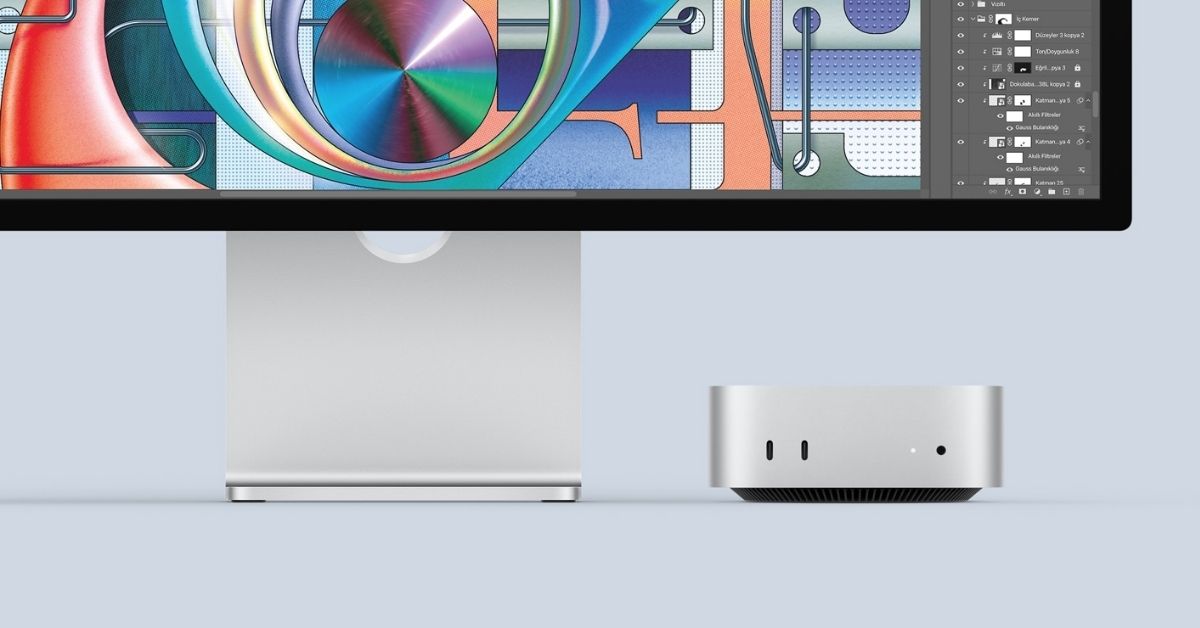
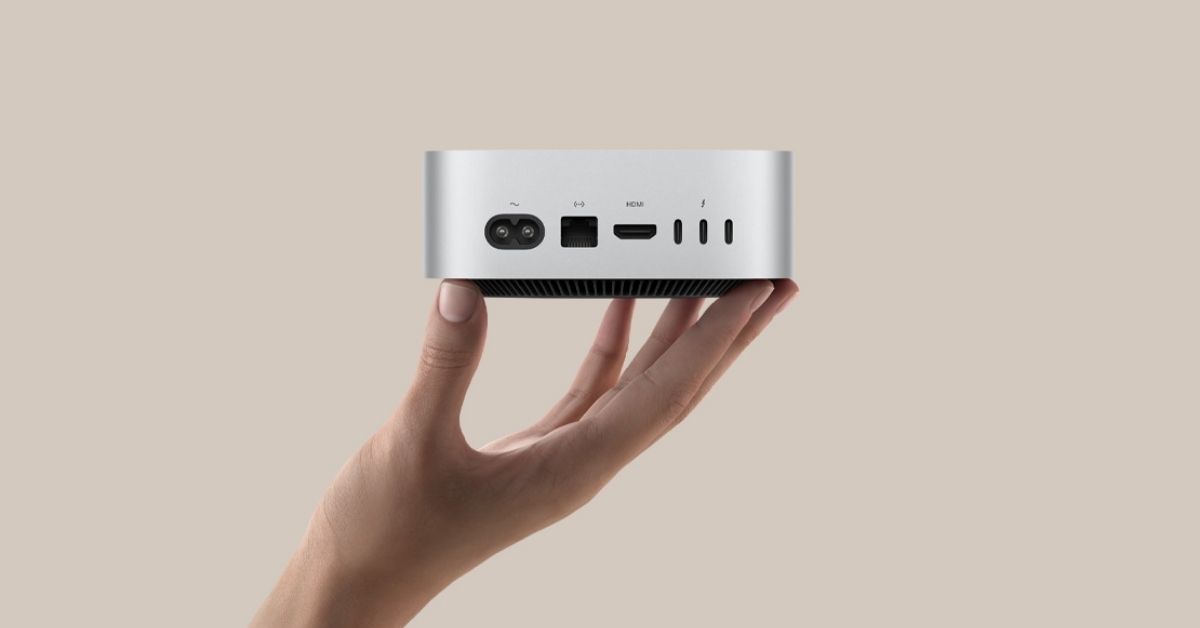
The primary advantage of Mac mini models is their minimal physical footprint, measuring just 12.7 centimeters in width and depth. Occupying minimal space on work desks, these devices provide users with excellent flexibility in terms of portability. Leaving the choice of peripherals like monitors, keyboards, and mice entirely to the user, this ecosystem offers an economical transition path for those wishing to utilize their existing hardware setups.
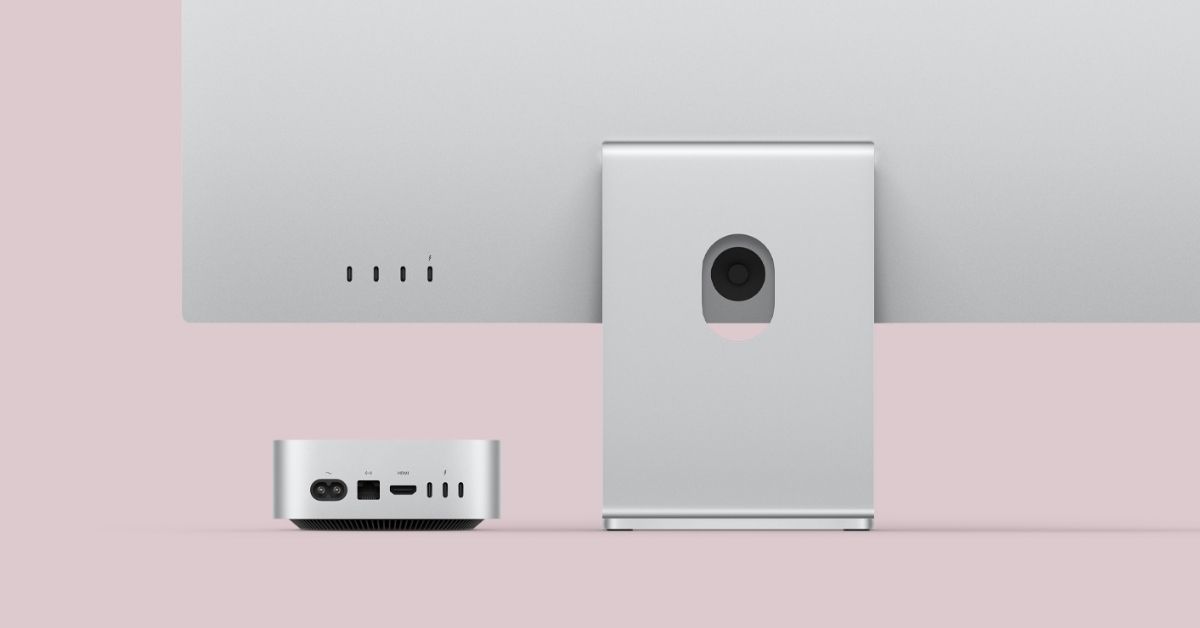
In terms of connectivity, high-speed data transfer ports and headphone jacks positioned on the front panel simplify daily usage. The rear panel hosts display outputs supporting high-resolution multi-monitor setups. Standard models feature Thunderbolt 4 ports on the back, whereas professional models incorporate Thunderbolt 5 ports, allowing for significantly higher data transfer speeds.
Advantages and disadvantages of Mac mini models
As with any technological device, this compact series presents distinct strengths and weaknesses depending on the user profile. Weighing the following factors before making a purchase decision remains highly important:
High energy efficiency: The hardware architecture consumes substantially less power compared to traditional tower desktop computers, lowering energy costs during prolonged use.
Silent operation: Thanks to the advanced thermal management system, fan noise remains at a minimal level even under heavy workloads.
Artificial intelligence and software integration: Up-to-date operating system optimization and built-in artificial intelligence support allow applications to run faster and more stably.
Hardware upgrade limitations: Because memory and storage units are integrated directly onto the motherboard, no physical component upgrades can be performed by the user post-purchase. Therefore, long-term capacity requirements must be calculated accurately from the outset.
In conclusion, for users seeking high performance within compact dimensions and the freedom to choose their own displays and peripherals, these small computers manufactured by Apple remain a stable, long-term investment alternative.